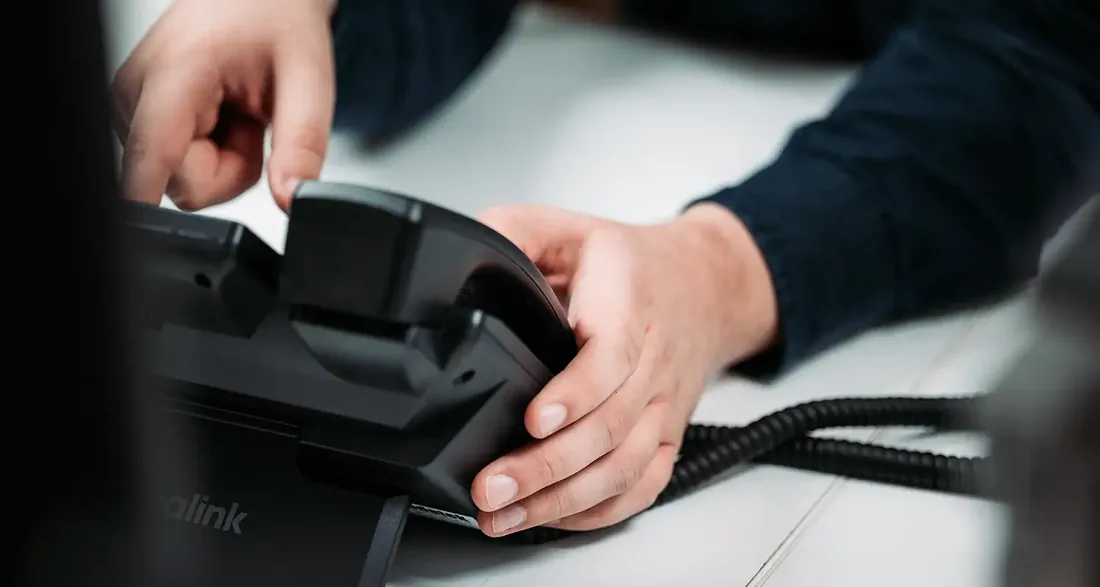
A service desk that knows how your IT fits together
A question about Teams, a password that needs resetting or a printer that will not cooperate. At the Digital Care service desk your colleagues speak to people who know your environment, look along on screen and often fix it right away. So everyone is back at work quickly.
Help from people who already know your environment
The service desk is the first place to go for anything to do with IT. Your colleagues call or email with a question or an incident, and someone from our team picks it up. The difference from an anonymous helpdesk lies in the preparation. Your environment is documented on our side, and our monitoring shows how your systems are doing. Whoever helps you does not have to start from scratch. The service desk is part of Managed Operations, the Digital Care module in which we manage and secure your IT, and is included in the Plus, Pro and Elite editions.
One place for questions, incidents and standard requests
Reachable by phone and email, with remote support on screen
Every ticket recorded and visible in Digital Care
Colleagues who know your environment from the documentation
At a glance
From Plus
The service desk is included in the Plus, Pro and Elite editions of Digital Care Managed Operations, at a fixed price per employee per month.
Standard changes
From Pro we also carry out changes agreed in advance, with no separate bill afterwards.
Watched day and night
Round-the-clock monitoring by a security team (MDR) can be added. In Elite it is included as standard.
What you can come to us with
What do you contact the service desk for?
For pretty much anything you run into at work, from a small question about Outlook to an application that will not start. Not sure whether something is for the service desk? Just report it. We find out where the issue lies, even if the solution sits with another supplier. In that case we take care of contacting them.
Questions about Microsoft 365, Teams and your other applications
Incidents in daily use of laptops, printers and connections
Standard requests, such as resetting a password
Help with your phone and tablet, which we also manage from Plus
An email you do not trust and would like us to take a look at
How it works
From report to solution at the service desk
Every report gets a ticket in Digital Care. There you can see what was reported, who is working on it and what has been done. So there is no need to call back to find out how things stand, and later you can read how something was solved.
Often it is quicker to take a look than to explain. With your permission we set up a secure connection to your screen. You follow every step we take and close the connection whenever you like. If it cannot be solved remotely, we schedule a visit from an engineer who knows your environment.
Your colleague calls or emails with a question or incident
We record the report as a ticket in Digital Care
One of us picks it up, often by looking along remotely
You see the progress and the solution in the ticket
More than fixing
A service desk that also learns from what comes in
A good service desk does not just fix things, it also looks for patterns. If the same question keeps coming in, we look for the cause. Perhaps a setting is awkward, or colleagues would benefit from a short explanation. We deal with that, so the question comes back less often.
In the regular strategy review we look together at what came in through the service desk. Which topics are coming up, where is there recurring work and what could be smarter? If you use Managed Cowork, the AI workplace of Digital Care, the IT Assistant solves many questions on its own, day and night. If it cannot, it prepares a ticket with all the details for our service desk.
Choosing an edition
The service desk in the Digital Care editions
Managed Operations comes in four editions: Start, Plus, Pro and Elite. You pay a fixed price per employee per month, and the higher the edition, the more we take care of for you. The service desk is included from Plus. We then solve incidents in daily use and help with standard requests.
In Pro we also carry out changes agreed in advance, without a separate bill afterwards. Work outside the agreements is always done only after consultation. If you want your devices protected against attacks day and night, with a security team that steps in on suspicious activity, you add MDR. In Elite it is included as standard.
Who it is for
Which organisations is the service desk for?
A service desk is valuable for any team that works with IT. These are situations we come across often.
Teams without their own IT colleague
Questions now end up with whoever is handiest with computers. With the service desk everyone has one place to go for help, and that colleague gets their time back for their own work.
Organisations with their own IT person
Your IT person wants to focus on projects and improvements. The service desk handles the day-to-day questions, and together we agree which tickets they want to keep for themselves.
Several branches and home workers
Colleagues work across different locations and from home. Because we help remotely, everyone gets support in the same way, wherever they are. All tickets come together in one overview.
Healthcare and confidential data
If you work with patient data or sensitive files, you want to know how the people helping you handle them. Our way of working is certified to ISO 27001 and NEN 7510, and you always see what we do on your screen.
Frequently asked questions
Frequently asked questions about the service desk
What is the difference between the service desk and workplace management?
Workplace management is the ongoing work behind the scenes: setting up laptops, keeping software and updates current and securing devices. The service desk is where your colleagues go when they have a question or run into something. Together they make sure everyone can work comfortably. Managed Operations includes both, with the service desk from the Plus edition.
Is the service desk included in Start?
No. Start takes care of the technology, such as security, updates and Microsoft 365, but without a service desk. You then handle user questions yourself. If you want your colleagues to be able to call or email us with questions and incidents, you choose Plus or higher. With Pro, changes agreed in advance are added as well.
Can the service desk help with our industry software?
We are your first point of contact, including for applications from other suppliers. We first check whether the problem lies in your workstation, the network or a setting. If it is the software itself, we contact the supplier and keep you updated in the ticket. So you do not have to work out who to turn to.
How can I be sure I am talking to your service desk?
If you asked for help yourself, you know who is on the line. If someone calls you out of the blue and wants to look at your screen, call us back yourself first. That way you know for certain it is one of our colleagues before you give anyone access. Our service desk will only be glad you did.
What about response times and help outside office hours?
The service desk response times are set out in the Managed Operations agreements, including an emergency procedure for outside office hours. If you also want insight at night and at weekends into what is happening in your environment, you add round-the-clock monitoring (MDR). A security team then steps in on suspicious activity. In Elite this is already included.
Necessary cookies make the site work. Statistics and marketing are only switched on if you want them, and you can change your choice at any time. Read our privacy policy