Blog
The importance of a Microsoft 365 backup
By Didier Battermann

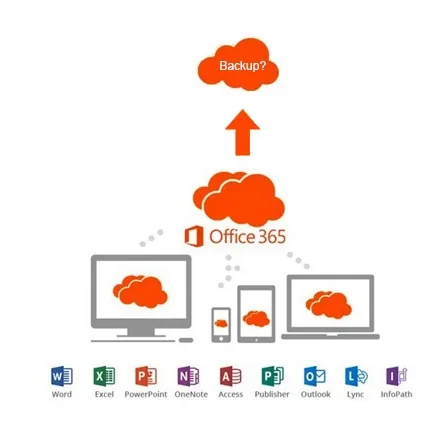
A remark we often hear from customers is: "Storing my files in the cloud is surely enough and safe?". Our answer: yes, but there are quite a few catches. Deleted files are not kept indefinitely in SharePoint, Exchange or OneDrive. Microsoft says so itself. That is why it is very important to make backups of your Microsoft 365 data.
What Microsoft offers
Microsoft also offers options when it comes to backups. Even so, they are not quite what you would expect from a backup solution. Microsoft works with a kind of 'mirror'. This means that the entire system is continuously copied, or mirrored, to other systems. That way it can switch over to the 'mirror' immediately if something goes wrong. Naturally, you do not notice any of this yourself.
However, this is not a real backup method. Because your data is continuously mirrored, incorrect or deleted data also gets copied. That is the weak point of this method. The 'mirrors' are mainly there to keep the systems running reliably, not so much to safeguard your data. That remains your own responsibility. Microsoft does, however, offer ways to retain your data.
Backups, recycle bin and versioning
Microsoft 365 has four methods for safeguarding data:
- The backups that Microsoft makes itself
- The recycle bin process
- Retention
- Versioning
Backups by Microsoft
This method has mainly been set up by Microsoft for its own use in case of problems. Every 12 hours a backup is made of the complete environment, with a retention period of 14 days. Because it concerns the recovery of an entire environment, the restore has to be requested from Microsoft's support department, and that is not what you want. It means you have no control over when the restore is carried out. On top of that, it is not free, and because it is a complicated process, you could easily have to wait a couple of days for it. So a Microsoft backup only goes back 14 days and a restore can take several days.
The recycle bin process
When you delete files, they are stored in the familiar recycle bin. Besides this standard recycle bin, Microsoft has a second recycle bin. The first one we know is the 'deleted items folder'. The second is 'recoverable items'. In the first recycle bin, files can be stored indefinitely. In the second bin, files are permanently deleted after 30 days.
SharePoint has the same arrangement. Here the primary bin is called the 'first stage recycle bin', in which files can also be stored indefinitely. The second bin is, naturally, called the 'second stage recycle bin'. Here files are permanently deleted after 93 days.
If you do find that your data is completely gone, you can still try creating a support ticket with Microsoft. However, you have to provide a very specific search query. If it is not specific enough or your naming differs slightly, your file or files are lost for good.
Retention
Within Microsoft 365 you can use retention for your email and SharePoint, provided you have an E3, E5 or Exchange Online subscription. Note: this does not apply to the popular Microsoft 365 Business Standard or Business Premium subscriptions. With retention, you can also only keep one version of your file. It is also very sensitive. A version of your data can be deleted as soon as a single change is made. The new version then remains, but your previous one is gone. There is also a periodic check on whether your data should be retained or not. If you do not keep a close eye on this yourself, your data will be permanently deleted.
Versioning
With this form of backup, backups are made of different versions of the same data. Unlike retention, earlier versions of your data can be restored in the event of data loss.
As standard, Microsoft offers no way to recover from ransomware. For email, you can only select by the date on which the email was created.
In SharePoint, on the other hand, you can only restore file by file. A complete environment can also be restored with a script if necessary. This too is complex and risky. So choose carefully whether you want to restore per file or your whole environment. If you only want to recover certain folders, this form of backup is of little use to you.
Reasons to choose a cloud-to-cloud backup.
Above you have read what the Microsoft 365 backup solutions are. But to be honest, we can safely say that they often fall short and are also too complicated to safeguard your data in every situation.
The advantages of a cloud-to-cloud backup solution are:
- Access to your data, even when Microsoft has problems.
- You can restore data if you have a corrupt file or mailbox.
- For many organisations it is a requirement under laws and regulations.
In addition, you are no longer dependent on a single party. That saves a lot of frustration. A third party can always tell you whether a backup is properly arranged and whether there are hidden defects.
An important reason to choose a third-party solution is the retention period, in other words how long your files are kept. At Microsoft this is limited to 30 or 93 days. With an external party you often have many more options. The retention period at Microsoft can be extended with an E3 or E5 subscription, but this is always more expensive than Business Premium combined with a third-party solution.
But perhaps the most important reason is the dependence on Microsoft. If a major problem occurs at Microsoft, your backup at Microsoft might not be accessible. In addition, the Microsoft backup solutions were not designed for actually making backups. So it is often unclear what is and is not possible, which means you never have the guarantee you want.
So a cloud-to-cloud solution is not only better and more stable, it is also cheaper!
Curious about our cloud options? Feel free to contact us, with no obligation!
Wondering what Infodatek can do for you?
A thirty-minute call with one of our specialists. Your environment, your questions. An honest conversation.